Kids Telling Time
Intellijoy Educational Games for KidsEducational
4.212.00 Reviews
- Version
- 1.2.10
- Installs
- 10.00K
- Age Rating
- Everyone
Screenshots
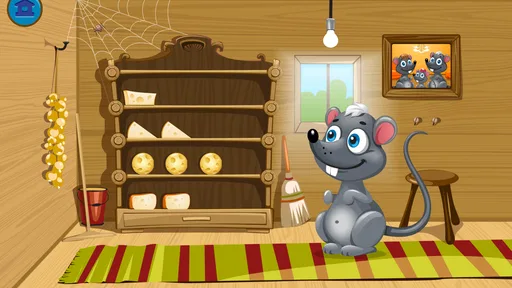
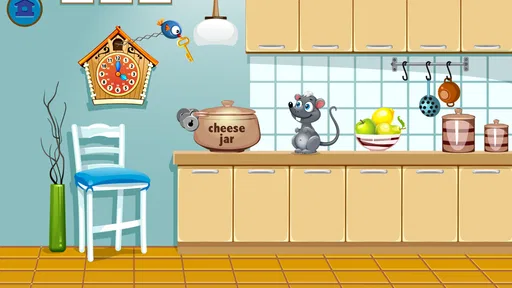
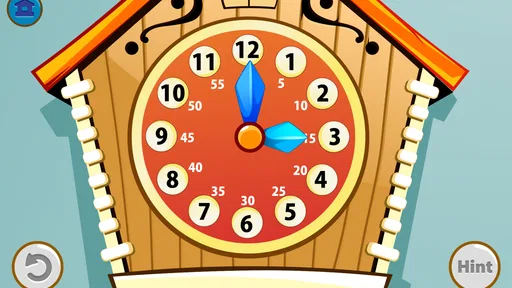
Our Review of Kids Telling Time
 Analysis by Appyee
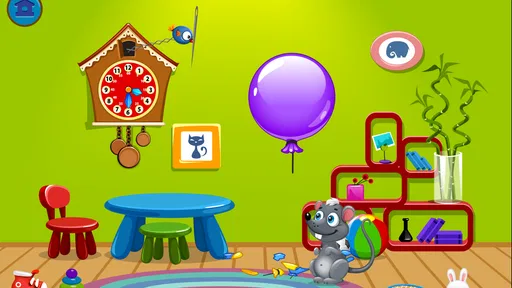
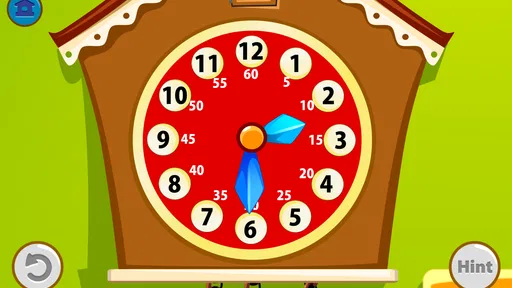
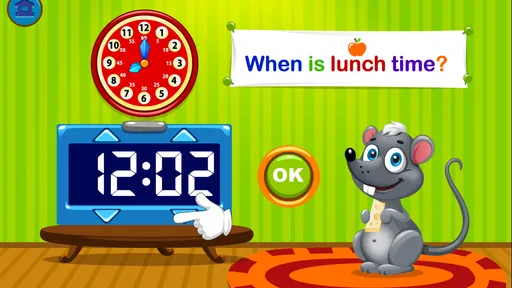
I like children’s learning games that focus on one practical skill instead of trying to turn every lesson into a huge entertainment package. Kids Telling Time takes that narrower approach: it is an educational game from Intellijoy Educational Games for Kids built around setting clocks and reading both digital and analog displays. That sounds simple, but telling time often becomes confusing when a child has to connect the two formats, understand the hands, and then use the skill in everyday life.
My overall impression is that this is best treated as a focused practice tool rather than a complete course in time. It can give a child a quiet place to repeat the basics, especially when an adult wants short activities that do not depend on worksheets. At the same time, the limited focus means it will not replace explanation, conversation, or real-world practice with a clock. I would recommend it most readily to families looking for a paid, age-appropriate exercise dedicated to this one early-school skill.
What the purchase gives you and where it fits
Kids Telling Time costs $1.99, so the spending decision is fairly straightforward: this is a small one-time purchase for a specific educational purpose. I appreciate that the price can be judged against the app’s narrow role instead of against a large subscription library. If your child is currently learning clocks, the focused format may be more useful than paying for a broad collection filled with activities they will rarely open.
The game is rated Everyone, which makes it suitable for a wide family audience, although the age label alone does not tell me whether its teaching pace will match every child. A child who already reads quarter hours comfortably may find the practice too basic, while a beginner may still need an adult beside them to explain why the hour hand changes position as the minute hand moves.
It was released on October 3, 2014, and the current version is 1.2.10. The minimum operating-system requirement is 7.1, a useful detail for families using an older compatible device. The game has passed ten thousand installs and holds a 4.2 average from a little over one hundred ratings, with a dozen written reviews. Those figures suggest that it has found a modest audience, but I would not treat them as proof that it suits every learning style.
The developer, Intellijoy Educational Games for Kids, is clearly associated with children’s learning software, and that context matters here. This does not feel like a general puzzle game that happens to include clocks. Its purpose is much more direct: give children practice with digital and analog time. That specialization is its main reason to consider it.
Before buying, I would ask one practical question: is the child struggling with recognition, or do they need a full explanation from the beginning? A practice game can reinforce an idea that has already been introduced. It is less effective when a child has never learned what the hands represent. In that situation, I would first use a physical teaching clock or a short explanation from a parent or teacher, then bring the game in as repetition.
How I would use it during an ordinary day
A realistic use case is the after-school gap before dinner. A parent can sit with a child for a brief session, ask the child to say the time aloud, and then let the game provide another round of practice. The useful part is not simply tapping an answer; it is asking the child to explain the choice: “How did you know the hour hand was still near three?” That extra sentence turns a screen exercise into actual reasoning.
I would also use it before a routine that depends on time. For example, if a child is learning to prepare for bedtime, I might connect the lesson to the clock on the wall and ask them to compare it with the display in the game. This helps prevent a common problem with educational apps: children become good at recognizing the app’s visual pattern without transferring the skill outside it.
Another helpful workflow is to alternate formats instead of letting the child rely on one familiar display. Ask for the answer on the analog clock, then immediately have the child say how that same moment would look digitally. This is a more demanding exercise than memorizing isolated positions, because it requires translation between representations. The game’s emphasis on both clock styles makes that comparison a natural part of practice.
Progress without turning the lesson into pressure
Time-telling practice can become frustrating quickly because a small mistake may involve several ideas at once. A child may know the hour but misread the minutes, or recognize the digital number but place the analog hands incorrectly. I would avoid treating every wrong response as a test result. Instead, I would pause and identify the exact confusion before continuing.
For younger learners, I would begin with short sessions and stop while the activity still feels manageable. The goal is steady recognition, not exhausting repetition. If the child starts guessing rapidly, that is a sign to return to a physical clock or talk through the hands rather than pushing for a higher score or faster completion.
A particularly useful tip is to make the child predict before touching the answer. Have them name the hour first, then the minutes, and only then confirm the complete time. This separates the two parts of the task and makes errors easier to diagnose. It also discourages random tapping, which can make a child appear to progress without understanding the clock.
I would not assume that repeated play automatically creates a sense of elapsed time. Reading “four o’clock” is different from understanding that an hour has passed, knowing how long ten minutes feels, or working out when an appointment begins. Those abilities need conversation and real situations. Kids Telling Time can support the recognition stage, but parents should connect it to schedules, cooking timers, school routines, and analog clocks in the home.
Fairness in the learning experience
For a children’s educational game, fairness means more than whether the purchase is inexpensive. It also means whether the activity rewards understanding rather than speed, guessing, or familiarity with a particular screen layout. In my view, the strongest way to use this game fairly is to let children answer at their own pace and discuss mistakes without turning the session into competition.
I would be cautious about comparing siblings through the app. A child who has already practiced analog clocks at school has an obvious advantage over one who is meeting the concept for the first time. The game works better as an individual learning aid than as a contest. A parent can compare a child’s explanations over time, but I would value clearer reasoning more than quicker taps.
The paid model also affects fairness in a positive, limited way: the listed price is $1.99, so the decision is visible before purchase rather than being framed as an endless stream of small spending choices. That makes it easier to decide whether the focused lesson is worth the cost for your household. I would still judge the purchase by expected use. If the child needs only a quick introduction and already has access to a teaching clock, a free activity or paper exercise may be enough. If the child benefits from repeated digital practice, the small purchase may be reasonable.
I would not promise that paying for the game guarantees a particular result. The value depends on how it fits into the child’s learning routine. A child who dislikes screen-based drills may learn more from an adult moving the hands on a toy clock. Another child may welcome the repetition and feel less self-conscious practicing alone. The fairest choice is the one that matches the learner, not the one that sounds most advanced.
Where it compares well with usual alternatives
Compared with a worksheet, the game offers a more interactive way to move between digital and analog clocks. That can be useful for children who lose interest when every exercise looks like a printed question. Compared with a physical teaching clock, however, it is less naturally suited to open-ended questions such as “Show me twenty minutes before six” or “What time will it be after fifteen minutes?” A physical clock gives an adult more freedom to create examples on the spot.
Compared with a broad educational app, this game’s specialization is both its advantage and its limitation. A larger app may cover numbers, spelling, shapes, and reading in one place, which is convenient for families wanting variety. Kids Telling Time is easier to choose when clocks are the immediate need, but it will not serve as a general learning hub.
Compared with ordinary videos, interactive practice has one important benefit: the child has to make a choice instead of only watching someone explain. Still, videos can be better for the first explanation of difficult ideas, especially the relationship between the hour hand and the minute hand. I would use explanation, a real clock, and the game together rather than expecting one format to do everything.
For children who are ready for elapsed-time problems, schedules, or word problems, I would look for a more advanced resource. The focused purpose here makes it appropriate for building or reinforcing basic clock reading, not for covering every mathematical use of time.
Small details that affect everyday usefulness
One trade-off is the difference between recognition and transfer. A child may learn to answer familiar-looking prompts inside the game but hesitate when looking at a clock with a different face, different hand lengths, or no numbers. To reduce that gap, I would deliberately place a household clock beside the device and ask the child to read both. The game should be the rehearsal space, not the only clock the child ever sees.
Another insight is that digital time can hide the analog reasoning. Many children find a digital display easier because the numbers are explicit. I would therefore ask them to cover or ignore the digital answer until they have interpreted the hands. Then I would reverse the process: show an analog time and have them say the digital version. This makes the two formats support each other instead of allowing one to replace the other.
A third useful approach is to connect mistakes to language. If a child says the clock shows five thirty but points to the hour hand as if it were the minute hand, I would repeat the vocabulary—hour hand, minute hand, half past—and ask them to identify each part separately. The game can provide the prompt, but the adult’s wording often determines whether the child understands the correction.
There is also a practical limit to screen independence. Even with an Everyone rating, a beginner may need help reading instructions, interpreting an error, or staying calm after a mistake. I would not hand it over and assume the lesson is self-explanatory. A few minutes of guidance at the start can make the activity much more productive, especially for a child who tends to guess.
Who should choose it, and who should skip it
I think Kids Telling Time is a good match for a young learner who has been introduced to clocks and needs repeated practice reading digital and analog displays. It is also useful for parents who want a narrowly focused activity instead of a large app with unrelated subjects. The low purchase price makes it relatively easy to try when telling time is a current priority.
I would skip it if your main goal is advanced time mathematics, such as calculating duration, converting units, planning schedules, or solving multi-step word problems. I would also skip it if your child learns best through physical manipulation and conversation and becomes disengaged by repeated screen tasks. In that case, a teaching clock, paper cards, or real household routines may produce better results without requiring a separate app.
It may also be a poor fit for a child who already reads clocks confidently. The game’s narrow subject means that advanced learners may move through the material without gaining much. Likewise, families looking for a broad educational subscription should compare the focused purchase with the convenience of an all-in-one alternative, even though the latter may include many activities the child does not need.
My trust verdict after weighing the trade-offs
I see Kids Telling Time as a straightforward educational purchase with a clear purpose. Its strongest point is the combination of digital and analog practice in a dedicated game from Intellijoy Educational Games for Kids. Its weakest point is the same narrow focus: it should not be mistaken for a complete lesson plan or a full mathematics curriculum.
The 4.2 average and audience of over ten thousand installs give it some useful public context, but I would still make the decision based on the child’s stage and learning habits. The Everyone rating and minimum operating-system requirement of 7.1 make it approachable for many families with compatible devices, while version 1.2.10 identifies the release to look for when checking compatibility.
My recommendation is conditional but positive. If a child is currently learning to read clocks, I would consider spending $1.99 and using the game in short, guided sessions. I would pair it with a real analog clock, ask the child to explain each answer, and practice time in daily routines. That approach gives the app a meaningful job and prevents it from becoming empty tapping.
The best reason to buy it is focused reinforcement, not entertainment value or academic completeness. Used with realistic expectations, Kids Telling Time can make an awkward early lesson more approachable. If you need elapsed-time challenges, open-ended teaching, or a wider set of subjects, choose another tool. For basic clock recognition and translation between analog and digital displays, though, this compact game is a sensible option.
Verdict
Strengths of Kids Telling Time
- Colorful visuals make learning time more appealing to young children.
- Short activities help maintain attention during early learning sessions.
- Suitable for practicing both analog and digital clock reading.
- Simple navigation allows children to use it with limited assistance.
- Useful for reinforcing lessons taught at home or in the classroom.
Limitations of Kids Telling Time
- Some children may find the exercises repetitive after extended use.
- Progress tracking may be limited for parents and teachers.
- Advanced learners could outgrow the available difficulty levels quickly.
- Requires a compatible device with enough screen space for clear clock faces.
- The learning experience may feel less engaging without additional rewards.
Other Releases by Intellijoy Educational Games for Kids
View All
Kids Numbers and Math
Educational4.1

Kids Learn to Read
Educational4.3

Kids Learn Letter Sounds
Educational4.3

Kids Learn Shapes 2
Educational4.3
Similar Picks in This Category
View All
Little Panda Policeman
BabyBus4.0

Monster Trucks Game for Kids 2
Raz Games4.1

Little Panda's Chinese Recipes
BabyBus4.4

Little Panda's Restaurant
BabyBus4.4

Little Panda's Ice Cream Games
BabyBus4.3

Baby Panda Care
BabyBus3.8
Frequently Asked Questions
What is Kids Telling Time and who is it designed for?
Kids Telling Time is an educational app designed to help young children learn how to read analog and digital clocks. It introduces concepts such as hours, minutes, half-hours, quarter-hours, and daily routines through simple exercises and child-friendly activities. It is generally most suitable for preschool and early elementary learners, although the ideal age may depend on the child’s existing knowledge and learning pace.
What skills can children develop with Kids Telling Time?
The app focuses primarily on recognizing clock faces and understanding the relationship between the hour and minute hands. During use, children can practice telling time, matching times with clock displays, and connecting specific times with everyday activities. These exercises may also support basic number recognition, concentration, memory, and independent learning, making the app useful as a supplement to classroom lessons or parent-guided practice.
Is Kids Telling Time easy for children to use independently?
Kids Telling Time appears to be designed with a straightforward interface, clear visual elements, and activities that are easier for children to understand than text-heavy explanations. Younger users may still need an adult to explain the difference between the hour hand and minute hand, especially during the first lessons. Parents should also check whether the child understands the instructions before allowing completely independent practice.
Does Kids Telling Time require an internet connection or include in-app purchases?
The exact offline features, advertising policy, and purchase options can vary depending on the version downloaded and the platform used. Before installing Kids Telling Time, parents should review its Google Play or App Store listing for details about internet access, advertisements, subscriptions, and in-app purchases. Checking these sections is particularly important when the app will be used by children without constant adult supervision.
Is Kids Telling Time suitable as a complete learning program?
Kids Telling Time is best viewed as a practice tool rather than a complete replacement for teaching. It can help children repeat clock-reading exercises and reinforce ideas introduced by parents or teachers, but some children will still need hands-on explanations using a physical clock. Progress may be better when adults regularly review mistakes, ask children to explain their answers, and connect the app’s activities with real daily schedules.
Play our best games!


